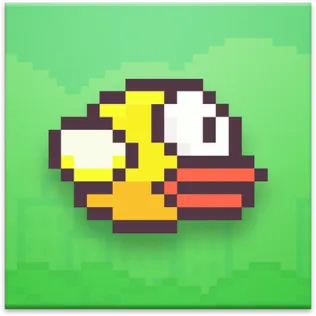




























Flappybird - Unblocked Games 24h - UBG24h

FLAPPY BIRD

SIMILAR GAMES

Game Description

Flappy Bird - Unblocked Games 24H

About Flappy Bird - Unblocked Games 24H

Welcome to the ultimate destination for playing Flappy Bird unblocked: Unblocked Games 24H! We understand the frustration of encountering blocked gaming sites, especially when you're looking for a quick and fun distraction. That's why we've dedicated ourselves to providing a seamless and enjoyable gaming experience, offering thousands of top-tier, browser-based games that are accessible anywhere, anytime. Our commitment is to provide a platform where players can dive into their favorite games instantly, without the hassle of downloads, intrusive ads, or restrictive filters. We take pride in being a reliable source for free unblocked games, perfect for those moments at school, work, or home when you need a break and some engaging entertainment.

At Unblocked Games 24H, we believe that gaming should be accessible to everyone. Our goal is to create a space where you can easily discover and play a wide range of games, regardless of where you are or what restrictions might be in place. We continuously update our library with new and exciting titles, ensuring that there’s always something fresh and engaging to explore. Whether you're a fan of classic arcade games or modern puzzle challenges, we have something for everyone. Join our community and experience the best in unblocked gaming today!

Why Choose Unblocked Games 24H for Flappy Bird?

When it comes to enjoying Flappy Bird unblocked, Unblocked Games 24H stands out for several reasons. First and foremost, we prioritize accessibility. Our platform is designed to bypass common restrictions, making it easy to access our games even on networks with strict filters. This means you can enjoy Flappy Bird and other favorites at school, work, or any location where gaming sites might typically be blocked. Furthermore, we offer an ad-free experience, ensuring that your gameplay is never interrupted by annoying pop-ups or distracting advertisements. We believe that your focus should be entirely on the game, and we've taken every measure to ensure a smooth and immersive experience.

In addition to accessibility and an ad-free environment, Unblocked Games 24H boasts a vast library of games that cater to all tastes and preferences. From action-packed adventures to brain-teasing puzzles and thrilling sports simulations, our collection is constantly growing and evolving. We understand the importance of variety, and we strive to offer a diverse selection of titles that will keep you entertained for hours. With our easy-to-use interface and instant access to games, Unblocked Games 24H is the perfect choice for anyone seeking a reliable and enjoyable unblocked gaming experience. Experience the difference today and discover why so many players choose us as their go-to destination for Flappy Bird and other popular titles.

How to Play Flappy Bird Unblocked on Unblocked Games 24H

Getting started with Flappy Bird unblocked on Unblocked Games 24H is incredibly simple. We've streamlined the process to ensure that you can dive into the game as quickly as possible. Here's a step-by-step guide:

  1. Visit the Site: Open your preferred web browser (Chrome, Firefox, Edge, etc.) and navigate to Unblocked Games 24H. There's no need to download any software or install any plugins – everything is ready to play directly in your browser.
  2. Browse Games: Once you're on the Unblocked Games 24H website, explore our extensive library of unblocked games. You'll find a variety of categories, including action, adventure, puzzles, and more. Use the search bar to quickly find Flappy Bird or browse the available titles.
  3. Pick a Game: Once you've located Flappy Bird, simply click on the game's icon to launch it. Our games load almost instantly, so you won't have to wait long to start playing.
  4. Play Right Away: Once the game loads, you can start playing immediately. Most games offer simple controls and intuitive gameplay. Flappy Bird, in particular, is easy to pick up and play, making it perfect for a quick gaming session.
  5. Adjust Settings (if available): Some games may offer customizable settings, such as volume control or graphics quality. Take a moment to adjust these settings to your preference for the optimal gaming experience.
  6. Bypass Blocks (if necessary): If you're accessing Unblocked Games 24H from a network with restrictions, you can use our alternate link (https://ubg24h.gitlab.io/) to bypass any filters and access our games.
  7. Enjoy Ad-Free Fun: Immerse yourself in the game without any interruptions. Our platform is designed to provide a seamless and ad-free gaming experience, allowing you to focus entirely on the fun.

By following these simple steps, you can quickly and easily enjoy Flappy Bird unblocked on Unblocked Games 24H. We're committed to providing a hassle-free gaming experience, so you can spend less time troubleshooting and more time having fun.

Understanding Game Controls for Flappy Bird and Other Unblocked Games

Mastering the controls is essential for enjoying any game, and Flappy Bird is no exception. While the game is simple in concept, understanding the controls will help you achieve a higher score and fully enjoy the experience. For Flappy Bird, the primary control is usually the spacebar or a click of the mouse or tap on the screen (if playing on a touchscreen device). Each time you press the spacebar or click, the bird flaps its wings and gains a small amount of altitude. The goal is to time your flaps precisely to navigate the bird through the gaps between the pipes, avoiding any collisions.

While Flappy Bird has a straightforward control scheme, other unblocked games on Unblocked Games 24H may have different controls. Here's a general overview of common control schemes you might encounter:

  • Action & Platformers (e.g., Stickman Games):
    • Arrow Keys/WASD: Used for movement (left, right, jump).
    • Spacebar: Often used for attacking or performing special moves.
    • Shift: May be used for sprinting or dodging.
    • Mouse Click: Can be used for aiming or interacting with objects.
  • Puzzles & Strategy (e.g., 2048, Geometry Dash):
    • Arrow Keys: Used for navigating elements or making selections.
    • Mouse Click/Drag: Used for selecting or moving items.
    • Spacebar: May be used for pausing the game or confirming actions.
    • Enter: Often used to start or restart the game.
  • Sports & Racing (e.g., Slope Game):
    • Arrow Keys/WASD: Used for steering or moving your character.
    • Spacebar: May be used for jumping or accelerating.
    • Shift: Can be used for braking or boosting.
    • Mouse: May be used for adjusting angles or aiming.
  • Multiplayer & Arcade (e.g., Slither.io):
    • Mouse: Used to guide your character's movement.
    • Left Click: May be used for boosting or activating special abilities.
    • Arrow Keys: Used for movement in some titles.
    • Spacebar: Can be used for pausing the game or performing special moves.

Remember to always check the game's instructions or tutorial for specific control information. Understanding the controls will enhance your gameplay experience and allow you to fully enjoy the variety of unblocked games available on Unblocked Games 24H.

Tips for Smooth Gameplay on Unblocked Games 24H

To ensure you have the best possible experience playing Flappy Bird unblocked and other games on Unblocked Games 24H, we've compiled a list of helpful tips:

  • Read Instructions: Before starting a new game, take a moment to read the instructions or tutorial. Many games have unique mechanics and controls, and understanding them will help you avoid frustration and enjoy the game to its fullest.
  • Adjust Settings: If a game offers customizable settings, such as graphics quality or volume control, take the time to adjust them to your preferences. Lowering the graphics quality can help improve performance on older devices, while adjusting the volume can help you immerse yourself in the game.
  • Use Responsive Gear: Ensure that your keyboard, mouse, or other input devices are working properly and are responsive. Laggy or unresponsive controls can significantly impact your gameplay experience, especially in fast-paced games like Flappy Bird.
  • Bookmark Us: Save Unblocked Games 24H as a bookmark in your web browser for quick and easy access. This will allow you to quickly return to our site whenever you're looking for a fun and engaging game to play.
  • Troubleshoot: If you encounter any issues while playing a game, such as lag or freezing, try refreshing the page or switching to a different web browser. Clearing your browser's cache and cookies can also help resolve some issues.

By following these tips, you can ensure a smooth and enjoyable gaming experience on Unblocked Games 24H. We're committed to providing a platform that is both accessible and reliable, so you can spend less time troubleshooting and more time having fun.

Enjoy Flappy Bird and More on Unblocked Games 24H Today!

We invite you to explore the world of unblocked games on Unblocked Games 24H. Whether you're looking for a quick distraction, a challenging puzzle, or an exciting adventure, we have something for everyone. Our commitment to providing a seamless, ad-free, and accessible gaming experience sets us apart from the competition. Dive into Flappy Bird unblocked and discover countless other titles that will keep you entertained for hours. Join our community today and experience the best in unblocked gaming!

Play Flappy Bird for free on Unblocked Games 24H, the top destination for Unblocked Games 24H unblocked in the USA! Enjoy thousands of top-tier, browser-based games with no ads and instant access—perfect for school, work, or home. Whether you love action, puzzles, or sports, start playing with just a click or keyboard tap!

Why Choose Unblocked Games 24H?

Unblocked games are a lifesaver when gaming sites are restricted. At Unblocked Games 24H, we offer:

  • Thousands of Games: Action, puzzles, sports, and more.
  • No Downloads: Play instantly in your browser.
  • Ad-Free Experience: Focus on fun, not pop-ups.
  • Accessible Anywhere: Bypass school or work filters with ease.

Our platform is your go-to hub for free unblocked games, delivering endless entertainment wherever you are.

How to Play Unblocked Games on Unblocked Games 24H

Getting started is simple! Follow these steps to enjoy unblocked games on Unblocked Games 24H:

  1. Visit the Site: Open Chrome, Firefox, or Edge and go to Unblocked Games 24H. No downloads needed!
  2. Browse Games: Explore our library of unblocked games—action, adventure, puzzles, and more.
  3. Pick a Game: Click a title to launch it in fullscreen mode instantly.
  4. Play Right Away: Most games load in seconds. Adjust settings if available.
  5. Bypass Blocks: Use our .io/GitLab link to access games on restricted networks.
  6. Enjoy Ad-Free Fun: Immerse yourself without interruptions.

Game Controls for Top Unblocked Games

Master your favorite unblocked games with these common controls. Check each game’s instructions for specifics.

Action & Platformers (e.g., Stickman, Retro Bowl)

  • Arrow Keys/WASD: Move or jump.
  • Spacebar: Attack or special moves.
  • Shift: Sprint or dodge.
  • Mouse Click: Aim or interact.

Puzzles & Strategy (e.g., 2048, Geometry Dash)

  • Arrow Keys: Navigate elements.
  • Mouse Click/Drag: Select or move items.
  • Spacebar: Pause or confirm.
  • Enter: Start/restart.

Sports & Racing (e.g., Slope Game)

  • Arrow Keys/WASD: Steer or move.
  • Spacebar: Jump or accelerate.
  • Shift: Brake or boost.
  • Mouse: Adjust angles.

Multiplayer & Arcade (e.g., Slither.io)

  • Mouse: Guide your character.
  • Left Click: Boost or activate.
  • Arrow Keys: Move (some titles).
  • Spacebar: Pause or special moves.

Tips for Smooth Gameplay on Unblocked Games 24H

Maximize your fun with these pro tips:

  • Read Instructions: Check tutorials on the start screen.
  • Adjust Settings: Tweak graphics for lag-free play.
  • Use Responsive Gear: Ensure your keyboard/mouse works well.
  • Bookmark Us: Save Unblocked Games 24H for quick access.
  • Troubleshoot: Refresh or switch browsers if needed.

Flappy Bird

Sometimes the best games are the ones that look simple at first glance. Flappy Bird is one of those — a brain-teasing puzzle game where the rules are easy to pick up but the depth keeps revealing itself the longer you play. Below we'll cover what Flappy Bird is about, how to play it, and how to make every run a little better than the last.

What is Flappy Bird?

Played at a casual pace, Flappy Bird is the kind of game you can enjoy without thinking too hard. Played at a serious pace, it becomes a small study in logic and pattern recognition. Both modes are valid — the game doesn't push you toward either, which is part of why it appeals to such a wide range of players.

Flappy Bird fits in the sweet spot between 'too simple to be interesting' and 'too complex to be casual.' It's centered on logic and pattern recognition, served up in short, focused rounds that you can fit into almost any moment in your day. Long-time fans of the genre will find familiar comforts here; newcomers will find an approachable entry point.

Getting started with Flappy Bird

Don't overthink the controls in Flappy Bird. Move with the arrow keys or WASD. Interact with the mouse. Use the space bar (or an obvious on-screen button) for the main action. Pause is normally bound to P or Esc. That's all you need to know before your first round — the rest you'll pick up by playing.

From your first run to your hundredth

Most rounds of Flappy Bird follow a predictable shape: an easy opening that lets you settle in, a middle section where the game starts to push you, and a late section where the small decisions you made early start to compound. Strong early play makes the middle easier; strong middle play sets up a manageable late game. It's a smart structure that rewards thinking ahead.

How to get better at Flappy Bird

One underrated tip for Flappy Bird is to pay attention to what the game does when you're not pressing anything. The pacing and idle behavior often tell you about the rules. Once you spot those patterns, you can plan your moves around them instead of reacting to them, and your runs get a lot smoother.

Here's a quick checklist of things to keep in mind while playing Flappy Bird: (1) read the screen before you act; (2) take the safer option early so you can take the risky one later; (3) don't chase losses — restart and reset; (4) experiment with one new approach per session instead of trying to relearn everything at once.

If you really want to push your Flappy Bird score, try a deliberate experiment for one full session: pick a single strategy and stick with it no matter what. Don't pivot, don't second-guess, just commit. Even if the session scores poorly, you'll come out with a clearer understanding of when that strategy works and when it doesn't — and that knowledge transfers directly to your next normal session.

Quick facts about Flappy Bird

  • Style: Brain-teasing puzzle.

  • Skill curve: Friendly to new players; rewards focused practice.

  • Best played in: Short, repeated sessions.

  • Audience: Casual and competitive players alike.

  • Update cadence: Refreshed as new versions are released by the developer.

  • Accessibility: Plays in any browser with no extra software.

Features of Flappy Bird

  • Quick to load. Flappy Bird is built to start playing in seconds on a normal home connection.

  • Works anywhere. Phone, tablet, laptop — the controls and layout adapt to whatever device you're on.

  • Family-friendly. Flappy Bird is suitable for casual players of all ages.

  • No installs required. Bookmark the page and Flappy Bird is ready when you are.

  • Updated regularly. If anything breaks with the embed, we move fast to fix it.

What you'll like about Flappy Bird

You can play Flappy Bird casually and have a great time, or you can play it competitively and discover real depth. Both modes are valid, and neither one feels like the wrong way. That flexibility is what gives Flappy Bird its broad appeal — and why you'll probably find yourself bouncing between casual sessions and focused ones depending on your mood.

Common questions about Flappy Bird

Q: Do I need an account to play Flappy Bird?
A: No. We don't require any account, sign-up, or email address to play Flappy Bird.

Q: Why won't Flappy Bird load?
A: If the game won't load, try refreshing the page, disabling any aggressive ad blocker, or clearing your browser cache. If the issue persists, let us know via the Contact page.

Q: Can I save my progress in Flappy Bird?
A: Some browser games save progress locally in your browser. If you clear your browser data, that progress may be lost.

Q: Is Flappy Bird safe to play?
A: Yes — Flappy Bird runs in a standard browser tab. It doesn't ask for elevated permissions or any personal information.

Final thoughts on Flappy Bird

Flappy Bird is built to be replayable, so don't be surprised if your 'just one more round' turns into a session. Have fun, learn from each attempt, and don't be hard on yourself when a run ends badly. That's all part of the game.

Game names, characters, and related trademarks belong to their respective owners. Flappy Bird is embedded on this page for online play; if you are a rights-holder and would like a title removed, please use our DMCA page.











