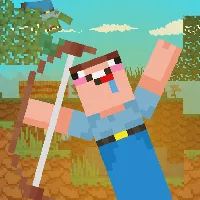




























Noob Archer - Unblocked Games 24h - UBG24h

NOOB ARCHER

SIMILAR GAMES

Game Description

Noob Archer - Unblocked Games 24H

About Noob Archer - Unblocked Games 24H

Welcome to Noob Archer on Unblocked Games 24H, your premier destination for accessing the best unblocked games. We understand the frustration of encountering blocked gaming sites, especially when you're looking for a quick and enjoyable break. That's why we've dedicated ourselves to curating a vast library of top-tier, browser-based games that you can play instantly, without any downloads or restrictions. At Unblocked Games 24H, we believe that everyone deserves access to fun and engaging entertainment, regardless of their location or network restrictions. Whether you're at school, work, or home, you can dive into a world of thrilling adventures, challenging puzzles, and exciting sports games with just a click or a tap.

Noob Archer itself offers a unique blend of strategy and skill, challenging players to master the art of archery. But it's just one gem in our extensive collection. Our commitment to providing a seamless and enjoyable gaming experience is what sets Unblocked Games 24H apart. We constantly update our library with new and exciting titles, ensuring that there's always something fresh and engaging to discover. Our platform is designed for ease of use, with a simple and intuitive interface that makes it easy to find the games you love.

Why Choose Unblocked Games 24H?

When it comes to unblocked games, Unblocked Games 24H stands out as a leader in providing unparalleled access and quality. We offer a comprehensive solution to the problem of restricted gaming sites, providing a haven for gamers who want to enjoy their favorite titles without limitations. Here's what makes us the ultimate choice for unblocked gaming:

  • Thousands of Games: Our library spans a wide range of genres, including action, puzzles, sports, strategy, and more. We're constantly adding new titles to keep our collection fresh and exciting.
  • No Downloads: All of our games are browser-based, meaning you can play them instantly without the need to download or install any software. This makes our platform incredibly convenient and accessible.
  • Ad-Free Experience: We understand that ads can be disruptive and annoying. That's why we're committed to providing an ad-free gaming experience, allowing you to focus on the fun without interruptions.
  • Accessible Anywhere: Our platform is designed to bypass school and work filters, allowing you to access your favorite games even on restricted networks. We provide a reliable and consistent gaming experience, no matter where you are.

Our dedication to providing a seamless and enjoyable gaming experience is what truly sets us apart. We strive to create a platform that is both user-friendly and reliable, ensuring that you can always count on us for your unblocked gaming needs. Unblocked Games 24H is more than just a gaming website; it's a community of players who share a passion for fun and engaging entertainment.

How to Play Unblocked Games on Unblocked Games 24H

Getting started with Unblocked Games 24H is incredibly easy. We've designed our platform to be user-friendly and intuitive, ensuring that you can quickly find and play the games you love. Follow these simple steps to start enjoying unblocked games on our site:

  1. Visit the Site: Open your favorite web browser (Chrome, Firefox, Edge, etc.) and navigate to Unblocked Games 24H. There's no need to download any software or plugins.
  2. Browse Games: Explore our extensive library of unblocked games. You can browse by genre, popularity, or simply scroll through our curated selection.
  3. Pick a Game: Once you've found a game that interests you, simply click on the title to launch it instantly.
  4. Play Right Away: Most of our games load within seconds, allowing you to start playing almost immediately. Take a moment to adjust the settings if needed to optimize your gaming experience.
  5. Bypass Blocks: If you're on a restricted network, use our secure link Unblocked Games 24H to ensure access to our games.
  6. Enjoy Ad-Free Fun: Immerse yourself in the game without any annoying interruptions. Our ad-free environment allows you to focus on the gameplay and enjoy the experience to the fullest.

We're constantly working to improve our platform and make it even easier to use. Our goal is to provide a seamless and enjoyable gaming experience for all of our users, regardless of their technical skills or experience.

Game Controls for Top Unblocked Games

Mastering the controls is essential to excelling in your favorite unblocked games. While the specific controls may vary from game to game, there are some common conventions that you'll find across many titles. Here's a guide to some of the most common controls used in different genres:

Action & Platformers (e.g., Stickman, Retro Bowl)

  • Arrow Keys/WASD: Used for movement, jumping, and navigating menus.
  • Spacebar: Often used for attacking, jumping, or performing special moves.
  • Shift: Commonly used for sprinting, dodging, or performing other evasive maneuvers.
  • Mouse Click: Used for aiming, shooting, or interacting with objects in the game world.

Puzzles & Strategy (e.g., 2048, Geometry Dash)

  • Arrow Keys: Used for navigating elements, selecting options, or moving pieces on a game board.
  • Mouse Click/Drag: Used for selecting items, moving pieces, or interacting with the game environment.
  • Spacebar: Often used for pausing the game, confirming selections, or triggering actions.
  • Enter: Commonly used for starting or restarting the game, confirming choices, or advancing through menus.

Sports & Racing (e.g., Slope Game)

  • Arrow Keys/WASD: Used for steering, accelerating, braking, and navigating the game environment.
  • Spacebar: Often used for jumping, accelerating, or performing special maneuvers.
  • Shift: Commonly used for braking, boosting, or performing other advanced techniques.
  • Mouse: Used for adjusting angles, aiming, or controlling the camera.

Multiplayer & Arcade (e.g., Slither.io)

  • Mouse: Used for guiding your character, aiming, or navigating the game world.
  • Left Click: Often used for boosting, attacking, or activating special abilities.
  • Arrow Keys: Used for movement in some titles, providing an alternative control scheme.
  • Spacebar: Commonly used for pausing the game, performing special moves, or interacting with the environment.

Always check the game's instructions or tutorial for specific control schemes, as they can vary depending on the title. With a little practice, you'll be mastering the controls and dominating your favorite unblocked games in no time.

Tips for Smooth Gameplay on Unblocked Games 24H

To ensure the best possible gaming experience on Unblocked Games 24H, we've compiled a list of helpful tips and tricks. These suggestions can help you optimize your gameplay, troubleshoot common issues, and maximize your enjoyment of our unblocked games:

  • Read Instructions: Before diving into a new game, take a moment to review the instructions or tutorial on the start screen. This will help you understand the game's mechanics, controls, and objectives.
  • Adjust Settings: Many of our games offer customizable settings, such as graphics quality, sound volume, and control configurations. Experiment with these settings to find the optimal configuration for your device and preferences.
  • Use Responsive Gear: Ensure that your keyboard, mouse, or other input devices are functioning properly and responding accurately. Laggy or unresponsive gear can negatively impact your gameplay experience.
  • Bookmark Us: Save Unblocked Games 24H to your browser's bookmarks for quick and easy access. This will allow you to quickly return to our site and start playing your favorite games without having to search for us.
  • Troubleshoot: If you encounter any issues while playing a game, such as lag, freezing, or crashes, try refreshing the page or switching to a different browser. This can often resolve minor technical problems.

By following these tips, you can ensure a smooth and enjoyable gaming experience on Unblocked Games 24H. We're committed to providing a high-quality platform that is both reliable and user-friendly, and we hope these suggestions will help you make the most of your time on our site. Enjoy playing Noob Archer and all the other fantastic unblocked games we have to offer!

Play Noob Archer for free on Unblocked Games 24H, the top destination for Unblocked Games 24H unblocked in the USA! Enjoy thousands of top-tier, browser-based games with no ads and instant access—perfect for school, work, or home. Whether you love action, puzzles, or sports, start playing with just a click or keyboard tap!

Why Choose Unblocked Games 24H?

Unblocked games are a lifesaver when gaming sites are restricted. At Unblocked Games 24H, we offer:

  • Thousands of Games: Action, puzzles, sports, and more.
  • No Downloads: Play instantly in your browser.
  • Ad-Free Experience: Focus on fun, not pop-ups.
  • Accessible Anywhere: Bypass school or work filters with ease.

Our platform is your go-to hub for free unblocked games, delivering endless entertainment wherever you are.

How to Play Unblocked Games on Unblocked Games 24H

Getting started is simple! Follow these steps to enjoy unblocked games on Unblocked Games 24H:

  1. Visit the Site: Open Chrome, Firefox, or Edge and go to Unblocked Games 24H. No downloads needed!
  2. Browse Games: Explore our library of unblocked games—action, adventure, puzzles, and more.
  3. Pick a Game: Click a title to launch it in fullscreen mode instantly.
  4. Play Right Away: Most games load in seconds. Adjust settings if available.
  5. Bypass Blocks: Use our .io/GitLab link to access games on restricted networks.
  6. Enjoy Ad-Free Fun: Immerse yourself without interruptions.

Game Controls for Top Unblocked Games

Master your favorite unblocked games with these common controls. Check each game’s instructions for specifics.

Action & Platformers (e.g., Stickman, Retro Bowl)

  • Arrow Keys/WASD: Move or jump.
  • Spacebar: Attack or special moves.
  • Shift: Sprint or dodge.
  • Mouse Click: Aim or interact.

Puzzles & Strategy (e.g., 2048, Geometry Dash)

  • Arrow Keys: Navigate elements.
  • Mouse Click/Drag: Select or move items.
  • Spacebar: Pause or confirm.
  • Enter: Start/restart.

Sports & Racing (e.g., Slope Game)

  • Arrow Keys/WASD: Steer or move.
  • Spacebar: Jump or accelerate.
  • Shift: Brake or boost.
  • Mouse: Adjust angles.

Multiplayer & Arcade (e.g., Slither.io)

  • Mouse: Guide your character.
  • Left Click: Boost or activate.
  • Arrow Keys: Move (some titles).
  • Spacebar: Pause or special moves.

Tips for Smooth Gameplay on Unblocked Games 24H

Maximize your fun with these pro tips:

  • Read Instructions: Check tutorials on the start screen.
  • Adjust Settings: Tweak graphics for lag-free play.
  • Use Responsive Gear: Ensure your keyboard/mouse works well.
  • Bookmark Us: Save Unblocked Games 24H for quick access.
  • Troubleshoot: Refresh or switch browsers if needed.

Noob Archer

Noob Archer has become a favorite among players who enjoy brain-teasing puzzle games, and it's easy to see why. The game blends simple controls with engaging gameplay, making it accessible to newcomers while still giving experienced players plenty of room to improve. You can play Noob Archer right here on Unblocked Games 24H without leaving your browser.

What makes Noob Archer fun

At its core, Noob Archer is about logic and pattern recognition. The setup is approachable enough that you can pick it up without reading a manual, but the deeper you go, the more you start to notice — small details about how the game responds to your inputs, how the difficulty scales, and how every restart gives you a chance to apply what you just learned. That's the kind of design that turns a quick play into a long session.

A lot of browser games rely on cheap dopamine hits to keep you playing. Noob Archer doesn't lean on that. Instead, it offers logic and pattern recognition and lets the loop speak for itself. Once you've completed a few rounds, you'll have a clear sense of what improvement looks like, and you'll have your own little goals to aim for.

How Noob Archer works

Noob Archer uses standard browser game controls. On desktop, most of the action happens with your mouse and keyboard — arrow keys or WASD for movement, mouse for aiming or selecting, and the space bar for jumping or confirming an action. On mobile and tablet, the controls switch to on-screen touch buttons or simple swipe gestures. You don't need to memorize anything ahead of time; the game's first screen usually shows you what you need to know.

How a round of Noob Archer plays out

A typical session of Noob Archer starts with a quick loading screen and lands you straight into the action. Your first run usually serves as a self-taught tutorial — you'll figure out the basics by doing them, with the game offering subtle hints where needed. By the time you reach your third or fourth run, you'll have a sense of the pacing, the difficulty ramp, and which moves are worth taking risks on.

Making the most of each round

The single best tip for Noob Archer is to learn its rhythm. Every game has a tempo, and once you've internalized Noob Archer's, your decisions get sharper almost automatically. Play three or four rounds back-to-back without rushing, watch what changes from one round to the next, and you'll start spotting the patterns the game uses to ramp up.

A lot of players in Noob Archer get stuck at the same point in the difficulty curve, and the fix is usually the same: stop trying to power through and start playing more defensively. Conserve resources, take fewer risks, and look for safer routes. The game rewards thoughtful moves and clever combinations, and patient play almost always beats reckless play here.

Most players underestimate how much their setup affects Noob Archer. A laggy browser tab, a dirty mouse, or a slow internet connection can make the game feel harder than it really is. Before blaming yourself for a bad streak, close some background tabs, give your mouse a quick wipe, and reload the game. Small environmental fixes can produce surprisingly large score improvements.

The basics, summarized

  • Style: Brain-teasing puzzle.

  • Skill curve: Friendly to new players; rewards focused practice.

  • Best played in: Short, repeated sessions.

  • Audience: Casual and competitive players alike.

  • Update cadence: Refreshed as new versions are released by the developer.

  • Accessibility: Plays in any browser with no extra software.

Highlights of Noob Archer

  • Free forever. Noob Archer costs you nothing to play on Unblocked Games 24H.

  • Mobile-ready. Touch controls work out of the box on phones and tablets.

  • Fullscreen support. One click into immersive mode.

  • No accounts. Nothing to sign up for, nothing to verify.

  • Lightweight pages. The site is fast even on slower connections.

Why players keep coming back to Noob Archer

You can play Noob Archer casually and have a great time, or you can play it competitively and discover real depth. Both modes are valid, and neither one feels like the wrong way. That flexibility is what gives Noob Archer its broad appeal — and why you'll probably find yourself bouncing between casual sessions and focused ones depending on your mood.

Common questions about Noob Archer

Q: Who made Noob Archer?
A: Noob Archer was created by its original developer. We host the game here so players can enjoy it in their browser. All trademarks and game rights remain with their respective owners.

Q: How long does a round of Noob Archer take?
A: Rounds vary, but most players can finish a single round of Noob Archer in just a few minutes.

Q: Is Noob Archer good for kids?
A: Noob Archer is generally family-friendly. As with any online content, we suggest parents take a quick look first if the player is younger.

Q: Does Noob Archer work on Chromebooks?
A: Yes. Noob Archer runs in the Chrome browser on Chromebooks without any extra setup.

Final thoughts on Noob Archer

Noob Archer is built to be replayable, so don't be surprised if your 'just one more round' turns into a session. Have fun, learn from each attempt, and don't be hard on yourself when a run ends badly. That's all part of the game.

Game names, characters, and related trademarks belong to their respective owners. Noob Archer is embedded on this page for online play; if you are a rights-holder and would like a title removed, please use our DMCA page.











